Blog Başlığı
Tarih
Producing 7 videos a week means needing roughly 30 ideas a month. If you try to find them by asking "what should I film today?" every morning, you will hit a wall at some point. The good news: much of what looks like creativity from the outside is really a collecting habit. Ideas show up all day long; the problem is having nowhere to catch and keep them.
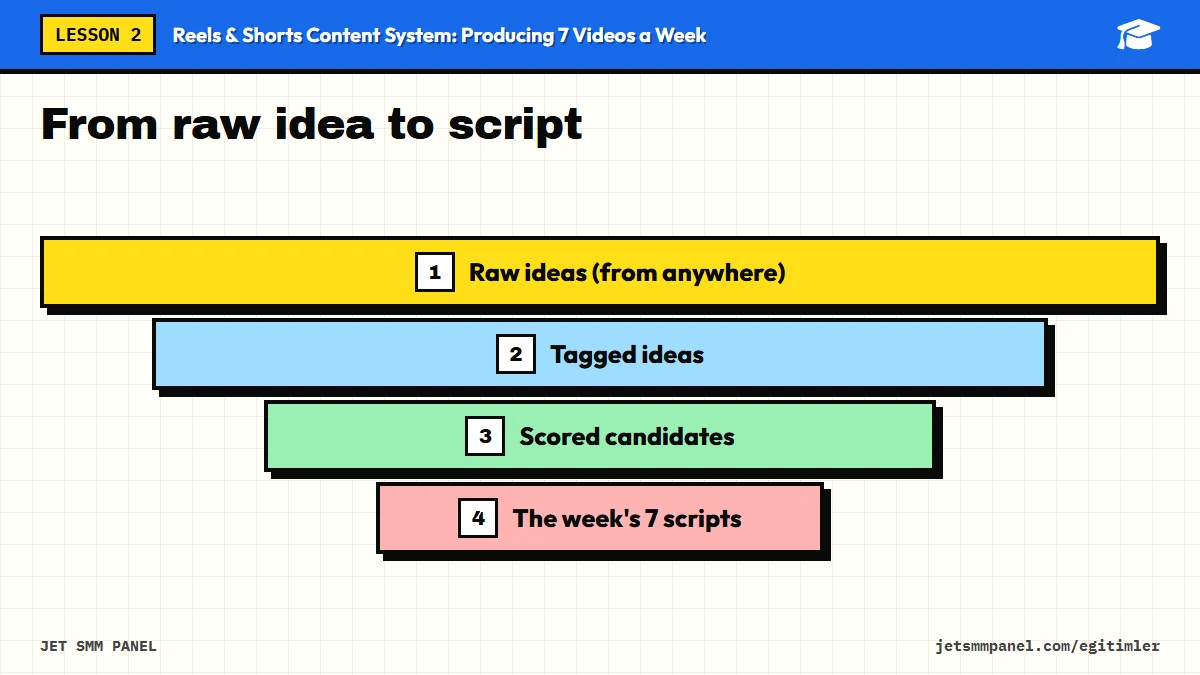
In this lesson we build that place: an idea bank where ideas are collected in one list, tagged, and where the best ones are picked every week. By the end of the lesson you will have a ready-to-use list of at least 30 ideas.
There is one rule: all ideas live in one single place. Five ideas in your phone notes, three in a group chat and two in a notebook means you will find none of them on planning day. The tool itself is secondary; what matters is that you can reach it from anywhere and add columns.
| Tool type | Advantage | Drawback |
|---|---|---|
| Phone notes app | Fastest capture Fast | Hard to tag and sort |
| Online spreadsheet (for example Google Sheets) | Easy columns, filters, score formulas Recommended | A bit slow to type on a phone |
| Notes and database app (for example Notion) | Cards, views, templates | Setup can take time Medium |
| Paper notebook | Focused thinking | No search, sharing or archive Weak |
A practical setup: during the day, drop ideas into a single "Inbox" note on your phone, then move them into the main sheet once a week during planning. Capture stays fast and the structure stays clean.
Capturing an idea should take no longer than 10 seconds. If you cannot type, record a voice note. Do not try to write a perfect sentence; a line like "customer asked the difference between cold brew and iced filter" is enough.
Tracking your idea sources on purpose means you are not leaving inspiration to luck. If you review the sources below every week, your list will rarely run dry.
Do not copy another creator's video scene by scene. Covering the same topic with your own experience, example and point of view is legitimate; repeating someone's script, lines and edit word for word is neither ethical nor helpful in giving your account its own voice.
A raw idea list turns into a messy pile after a while. Tags let you find the right idea in seconds on planning day. Add these columns to your sheet:
| Column | What goes in it? | Example values |
|---|---|---|
| Idea | A clear one-sentence title | Cold brew at home in 3 steps |
| Pillar | One of your account's 3-4 core topics | Home coffee, cafe life, product showcase |
| Format | The video's structure | Tutorial, list, behind the scenes, Q&A, before-after |
| Location | Where it will be filmed | Bar counter, living room, outdoors |
| Effort | Prep difficulty | Easy, medium, hard |
| Timing | When it is relevant | Evergreen, seasonal, trending |
| Status | Stage in production | Raw, candidate, scripted, filmed, published |
The "pillar" column matters most. Your account should have 3-4 core topics, and your weekly picks should balance them. Otherwise you will drift toward the easiest topic without noticing, and the account becomes one-dimensional. The "location" column is a lifesaver on filming day: it lets you shoot all videos for the same spot back to back.
Idea: ... / Pillar: ... / Format: ... / Location: ... / Effort: easy-medium-hard / Timing: evergreen-seasonal-trending / Source: which comment, question or observation? / Note: the first scene or line in your head
"Coffee video" is not an idea, it is a topic. "The question customers ask most: latte vs flat white, shown with 3 cups" is an idea ready to film. Anyone reading the line should understand right away what the video will show.
When your list holds 40 ideas, the real question becomes "which 7 this week?". You do not need a complicated system. Score every idea from 1 to 3 on three criteria and add them up.
| Criterion | 1 point | 2 points | 3 points |
|---|---|---|---|
| Audience interest | A guess, no evidence | Asked once, or similar content did well | Asked many times Strong |
| Ease | Needs a special location, crew or product | Needs some prep | Can be filmed right away |
| Timing | Evergreen, no rush | Matters next month | Goes stale if not posted this week Urgent |
The total lands between 3 and 9. On planning day, sort the list by score, but instead of simply taking the top 7, balance your pillars too. These scores are not an exact science; the point is to ask the same questions consistently every week when you decide.
High-ease ideas tend to jump the queue every week. To avoid postponing hard but valuable ideas forever, deliberately schedule at least one "hard" idea each month and start its prep early.
You can also run this maintenance as the first step of your planning ritual; in the final lesson we will merge the two into one weekly session.
Now you know what to film. In the next lesson we move on to the next question: how do you quickly turn a chosen idea into a 30-60 second video? We will build script templates you can reuse every week.
Create your idea bank and add the columns from the table. Pull at least 4 ideas from each of the seven sources to reach 30 ideas, then tag and score all of them. Finally, set the 10 highest-scoring ideas to "candidate"; you will write scripts for them in the next lesson.
Buy the course to unlock the remaining 5 lessons.