Blog Başlığı
Tarih
Going LIVE on TikTok is a completely different game from posting short videos. With a short video you can edit, delete a take you don't like and publish only your best moment. On a live stream everything happens in real time: viewers type, you respond, and if you make a mistake everyone sees it. That is exactly why LIVE builds a much closer bond with your audience, and also why it demands more preparation.
In this first lesson we cover everything you should do before you hit the button: how to check which requirements the LIVE feature depends on, how to use the waiting period if you don't qualify yet, how to set up your profile, and which community guidelines are enforced more strictly on LIVE than on short videos. The goal is for you to start your first stream without warnings, without panic, and with a clear idea of what you are going to do.
LIVE has three core benefits: a real-time relationship with your followers, a direct source of ideas for your next videos, and, once you meet the requirements, the possibility of earning from gifts. But mind the order: income comes last. Viewers don't stay on a stream to send gifts; they stay to be entertained, to learn something or to feel part of a community. We will talk about income openly in this course, but we will always build on the value you give viewers first.
| Aspect | Short video | LIVE |
|---|---|---|
| Preparation | Script, editing, retakes | Run of show and real-time reactions |
| Interaction | Comments, often hours later | Instant, addressing viewers by name |
| Room for error | Delete and reshoot | Everyone sees it, but it feels natural |
| Rule enforcement | Before and after posting | During the stream, in real time |
| Main strength | Reach | Connection and loyalty |
TikTok does not open LIVE to everyone under the same conditions. Requirements can vary by country, account status and time; TikTok updates them periodically and sometimes tests different thresholds in different regions. So don't blindly trust a random post that says “this many followers is enough.” The table below gives you a general frame, not a hard rule.
| Requirement | Commonly reported at the time of writing (2026) | Note |
|---|---|---|
| Age | Usually 18 or older to host a LIVE | Receiving gifts has its own age rule; check the current rule in the app |
| Followers | A threshold of around 1,000 followers is widely reported in many regions | It may be lower or different in some regions; check the app for the exact number |
| Account status | No active Community Guidelines violation | A recent warning can temporarily disable the feature |
| Region | The feature must be available in your country | Gifting and withdrawal features may not work the same everywhere |
The information in this table reflects what was commonly reported at the time of writing (2026) and is not definitive. TikTok can change requirements by country and over time. Always check the current requirements inside the app and in TikTok's official Help Center.
Menu names and locations can change with app updates. If you can't find an option, use in-app search or the Help Center instead of relying on old screenshot tutorials.
If you haven't reached the follower threshold yet, this period doesn't have to be wasted. Most creators who feel comfortable on LIVE got to know their audience through short videos and got used to talking to the camera before their first stream. Treat this phase as a training camp.
If you run an account for a local business such as a coffee shop, salon or boutique, ask in your short videos during the waiting period: “What would you like us to show you on LIVE?” The answers practically build your first run of show and make viewers feel the stream is made for them.
When someone discovers you on LIVE, the first thing they often do is check your profile. Your profile answers the question “is this person worth following?” No matter how good the stream is, a messy profile makes it harder to turn new viewers into followers.
Home coffee recipes ☕ | LIVE Q&A every Tuesday and Friday at 9 pm | Drop your recipe requests in the comments
Putting your stream time in your bio looks like a small detail, but it gives viewers an appointment. A loyal audience is much harder to build with streams at random times. If you don't have a regular schedule yet, leave this line out; a promise you can't keep costs more trust than no promise at all.
A short video goes through automated checks before it is published; a LIVE happens in real time, so moderation takes place during the stream and a serious violation can end it on the spot. On top of the general Community Guidelines, TikTok applies separate LIVE rules and monetization rules. The complete, current lists are in the relevant pages of the app; below are the most common risk areas.
If you receive a warning during a LIVE, don't immediately start a new stream to “see if it happens again.” Repeated violations can lead to longer restrictions on the LIVE feature. Read the reason in the notification first, appeal if appropriate, check the Help Center if something is unclear, and only then continue.
Your first streams may have very few viewers; that is completely normal for most accounts. A stream with two or three people is a great rehearsal for relaxing on camera and testing your run of show. Addressing those two or three people by name creates a stronger bond than you could ever build in a crowded stream. Throughout this course we won't tell you “you'll get this many viewers” or “you'll earn this much,” because no one can guarantee those numbers. Instead, we will build a system that makes you a little better with every stream.
In the next lesson we tackle the first piece of that system: gear and setup. You'll see step by step how to get a clean picture, clear audio and a stable connection with the phone you already own, without buying expensive equipment.
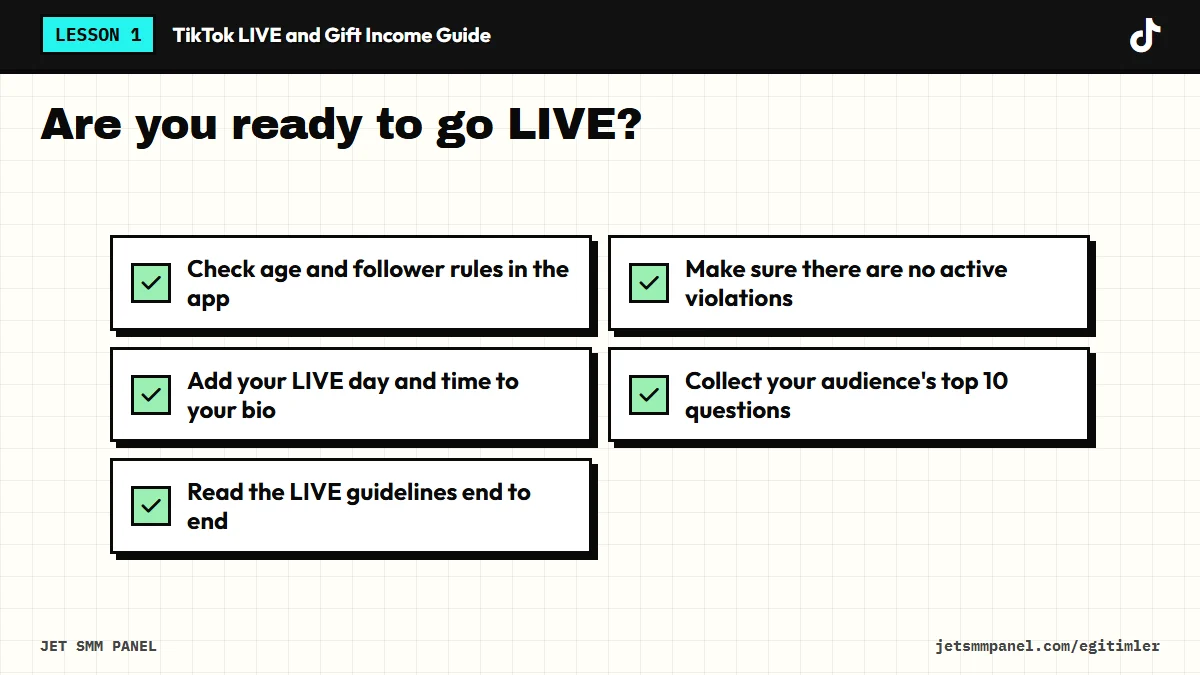
Check whether the LIVE option is available to you; if not, find the reason in the Help Center. Then read the LIVE guidelines from start to finish, tighten up your bio and write down the 10 questions your audience asks most often. This list will be the foundation of your first run of show in the coming lessons.