Blog Başlığı
Tarih
On the For You feed, viewers don't choose to open your video; it simply shows up in front of them. So on TikTok there's no "click the thumbnail" decision. Instead, there's a swipe or stay decision, and it's usually made within the first few seconds. As you saw in the previous lesson, watching a video to the end is one of the strongest signals. But if a viewer leaves in the first seconds, there's no chance they'll finish it.
In this lesson we'll split the first 3 seconds into four layers, look at hook types built with TikTok's own tools, and create line templates you can adapt to your niche. The focus here isn't general storytelling; it's what happens on the TikTok screen in the very first moment.
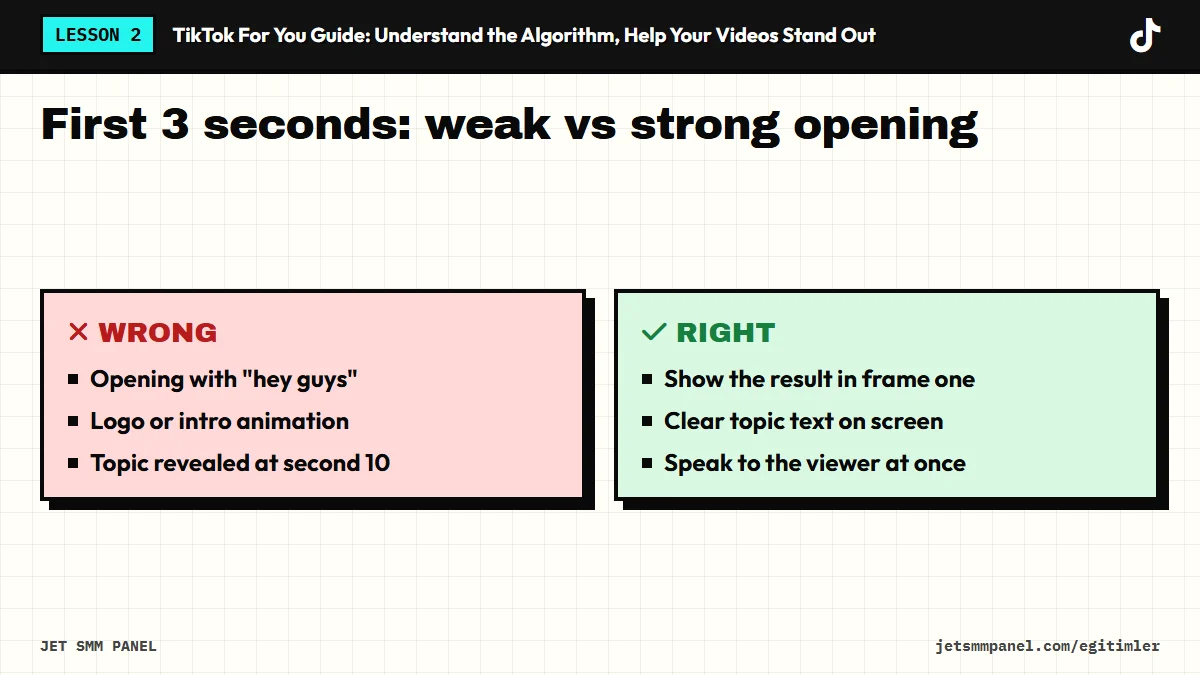
A good TikTok opening is more than a single line. The viewer sees, reads, hears and feels all at once. When all four layers carry the same message, the question "why should I care about this video?" gets answered in a second.
| Layer | What it does | What to watch on TikTok |
|---|---|---|
| Visual (first frame) | Catches the eye with motion or a curiosity-sparking image | Start mid-action, not on a blank wall or a still face |
| Text (on-screen) | Tells muted viewers what the video is about | Place text near the center so it isn't hidden under the interface (buttons on the right, caption at the bottom) |
| Spoken (first line) | Clarifies the topic and the promise | Skip greetings and self-introductions; say the promise in the first words |
| Sound (music or effect) | Adds rhythm and emotion, connects to trends | Match cuts to the beat; turn the music down under speech |
TikTok has long promoted itself as a sound-on platform. Even so, some viewers may be watching on mute. On-screen text is the cheapest way to catch both groups at once.
Most of the hook types below are built directly with TikTok's in-app features. That's why they feel familiar to viewers and fit the platform's language.
When you reply to a comment with a video on TikTok, the comment appears on screen as a sticker. That sticker is a hook in itself: the viewer sees a question and wants the answer. For example, a hair stylist could pin the comment "Does balayage work on short hair?" and show the result in the first second.
Stitch lets you add the first few seconds of another video to the start of yours. When that short clip is a question, a claim or a surprising moment, it works as a ready-made hook. Your own contribution should follow immediately; letting someone else's part run long in a Stitch costs you viewers.
With the green screen effect, a headline, product page, comment or chart goes into the background while you talk in front of it. Viewers see in the first second "what this is about". Use your own charts or screenshots; when using other people's content, be careful about copyright and personal data.
Show the finished outcome first, then explain how you got there. A boutique can open with the finished outfit, a bakery with the inside of a sliced cake, a renovation pro with the completed bathroom. If viewers like the result, they stay to watch the process.
A line like "If you run a café, don't scroll past this" matches the viewer to their audience. POV text ("POV: a customer walks into the shop for the first time") puts the viewer inside a scene. This hook type also helps keep the right people and let the wrong ones leave early.
Changing the shot on the first beat of a recognizable sound gives viewers rhythm in the very first second. A florist, for example, could cut from an empty vase to a full bouquet on the beat. The sound alone isn't the hook here; the visual change that lands on the beat is what holds attention. We'll cover sound selection and trends in detail in lesson four.
Stitch, Duet and video replies to comments depend on account and video settings. If Stitch is turned off for a video, you can't use that hook. And when you use someone else's video, keep your tone respectful; a Stitch that mocks or targets someone can run into the Community Guidelines.
Don't use a hook that promises something the video doesn't deliver. Saying "you won't believe the ending" and then closing on something ordinary trains viewers to swipe faster on your next video and raises the risk of negative feedback such as "Not interested".
Writing hooks is a matter of practice, not inspiration. Writing several openings for the same video makes it easier to pick the best one. Fill in the blanks in these templates with your niche:
"If you're a [audience], stop making this [mistake]."
"[Result]... and I did it in [short time]."
"The question I get asked most: [question]."
"[Common belief] isn't true, and here's why."
"POV: [a familiar moment for your audience]."
"[Result] in [number] seconds."
Save the videos in your own For You feed that stopped you from scrolling, and note which layer (visual, text, spoken, sound) did the work in their first 3 seconds. Within a week you'll have a hook library that fits your niche.
Holding viewers in the first seconds is only half the job. In the next lesson we'll look at how to edit every second that follows the hook, with TikTok editing techniques that improve watch time and completion.
Using the templates, write three different hooks for the next video you plan to shoot. Define the first frame and on-screen text for each, then pick the clearest one. Watch your chosen opening on mute and make sure the topic is clear within 3 seconds.
Buy the course to unlock the remaining 5 lessons.