Blog Başlığı
Tarih
Someone saw you in a story, a location tag or a friend's post, and tapped your profile. They now have a few seconds and three questions in mind: "Where is this?", "Is it open now?", "How do I get in touch?" If your profile doesn't answer those questions quickly, that person will most likely scroll away.
In this lesson we will treat your profile like a shop sign and a front desk. You set it up once, and it works for you every day. Set aside about an hour and follow the steps in order.
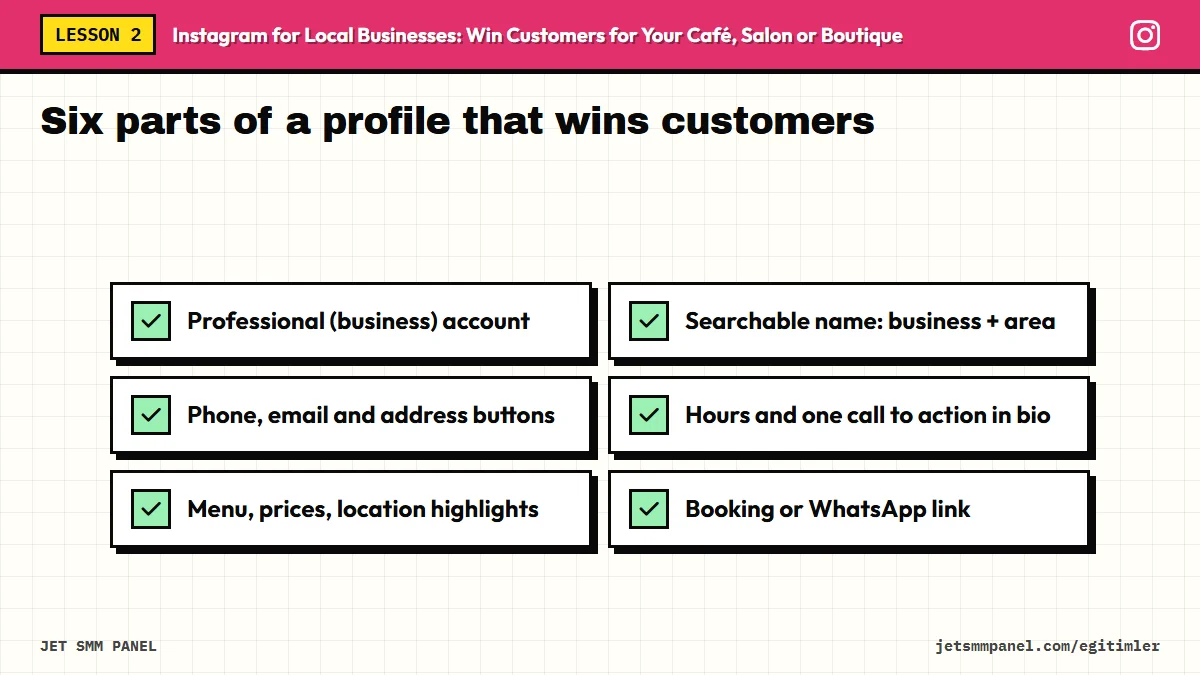
Running a business on a personal account is like running a shop without a till. A professional account unlocks insights, contact buttons, a category label and ad options. Professional accounts usually offer two options: Business and Creator. If you have a physical location, Business is usually the better fit, because its address and contact options are designed for exactly that.
Menu names and the order of steps can change with app updates. The steps above describe the general flow at the time of writing (2026); if you can't find an option, typing "professional" into the search box in settings usually gets you there.
Instagram has two separate fields: the username (starting with @) and the "Name" field on your profile. The name field is also taken into account in Instagram search. So writing not only your business name but also what you do and where you are can improve the chances that someone nearby searching for "hair salon" or "brunch" finds you.
| Field | Weak example | Strong example |
|---|---|---|
| Username | @lavender_hair_salon_2019_official | @lavenderhair |
| Name field | Lavender | Lavender Hair Salon | Old Town |
| Category | Personal blog | Beauty salon |
Don't overstuff the name field with keywords. A string like "Hair Color Blowout Bridal Nails Old Town" looks untrustworthy and is hard to read. Business name + main service + neighborhood is enough for most businesses.
A professional account lets you add phone, email and address; these appear as buttons on your profile. For a local business, the most valuable buttons are call and directions, because they move people who already intend to visit. When you add your address, write it exactly as it appears on Google Maps; consistency is a trust signal for both customers and search engines.
In some regions Instagram also offers action buttons such as "Book", "Order" or "Reserve" through partner services. Which countries and providers are supported varies, so check which options are available on your account in "Edit profile". If none fits, you can point the link in your bio to your booking page or WhatsApp.
Make sure the number behind your call button actually gets answered. If the shop landline is often busy or unattended, use a business number you can respond to quickly. A missed call is a lost customer.
Instagram profiles may not have a dedicated opening-hours field in every region. So show your hours clearly in at least two places: briefly in your bio and in detail in a highlight called "Hours" or "Visit us". When hours change for holidays or special days, update the story and bio on the same day.
Your bio is roughly 150 characters and has four jobs: say what you do, where you are, when you are open, and ask for one action.
☕ Homemade breakfast and filter coffee
📍 Riverside, 5 min from the station
🕗 Daily 8 am - 10 pm
👇 Book a table on WhatsApp
✂️ Cuts, color, treatments | By appointment
📍 Next to Central Metro exit
🕙 Tue - Sun 10 am - 8 pm
👇 Book online
👗 Everyday womenswear, new pieces weekly
📍 Harbour Street, Old Town
🕙 Mon - Sat 10 am - 9 pm
💬 DM us about any item
At the time of writing (2026), you could add more than one link in the bio link area; check the current limit in the app. Even so, put your most important link first. Too many choices make deciding harder.
Highlights are the round covers under your bio, and for a local business they work like a menu. Put the answers to your most frequently asked questions there, and you will stop answering the same message one by one every day.
| Business | Suggested highlights |
|---|---|
| Café / restaurant | Menu, Breakfast, Find us, Reviews, Events |
| Hair / beauty | Prices, Before/After, Team, Booking, Reviews |
| Boutique | New in, Size guide, Shipping, Store, Reviews |
| Gym | Schedule, Coaches, Membership, Trial class, The space |
Don't hide your price list behind "DM for prices". Many local customers hesitate to message without knowing the price and quietly go elsewhere. If prices vary, at least give a "from" price or a range.
When you finish, show your profile to a friend or customer and ask: "What did you understand about this place in ten seconds?" If the answer covers what you do, where you are and how to reach you, your profile is ready.
Your profile is now ready to welcome visitors. But where will those visitors come from? In the next lesson we will cover how people around you discover you: location tags, local hashtags and running your Google Business Profile together with Instagram.
Set aside an hour today: switch to a professional account (if you haven't), update the name field with the business + service + area formula, rewrite your bio using one of the templates and create at least three highlights. Then show your profile to someone you know and ask, "What did you understand in ten seconds?"
Buy the course to unlock the remaining 6 lessons.