Blog Başlığı
Tarih
When people think about making money on YouTube, most of them think of a single number: "1,000 subscribers and 4,000 hours". That number matters, but it is only part of the story. If you start without knowing which views count, how your channel is reviewed after you apply and which mistakes can set you back for months, the day you hit the threshold may come with an unpleasant surprise.
In this lesson we walk through the known requirements of the YouTube Partner Program (YPP), a realistic roadmap and the rules you need to know to protect your channel. The rest of this course opens up each stop on that roadmap one by one.
The Partner Program is how YouTube shares revenue with creators. Once you are accepted, you can earn a share of the ads shown on your videos and unlock viewer support features such as channel memberships and Super Thanks. In short, joining the program is the first official step in turning your channel from a hobby into something that earns money.
Let us be clear from the start: being accepted into the program is not a guarantee of income, it simply opens the door. How much you earn depends on your niche, where your viewers live, the length of your videos and how interested advertisers are in your topic. That is why this course will never promise you an earnings figure. Instead, we cover the factors that shape your earnings and the steps you can actually control.
The requirements below are the publicly announced thresholds that applied when this lesson was written (2026). YouTube can vary them by country and update them over time. Always check the current requirements in the "Earn" section of YouTube Studio, where you will see progress bars specific to your channel.
| Tier | Subscribers | Viewing requirement | What unlocks? |
|---|---|---|---|
| Fan funding tier Varies by country | 500 | 3 public uploads in the last 90 days AND (3,000 watch hours in the last 12 months OR 3 million Shorts views in the last 90 days) | Channel memberships, Super Chat, Super Stickers, Super Thanks, some shopping features |
| Long-form path | 1,000 | 4,000 valid public watch hours in the last 12 months | Ad revenue + fan funding features |
| Shorts path | 1,000 | 10 million valid public Shorts views in the last 90 days | Ad revenue (including Shorts revenue sharing) + fan funding features |
The fan funding tier is not offered the same way in every country. If you do not see it in Studio, aim straight for the full program at 1,000 subscribers. You do not have to pick one of the two full-program paths; whichever you reach first makes you eligible to apply.
The word "valid" matters. YouTube filters views through its own systems, so not every view or minute you see on a counter makes it into this calculation. That is why the progress bar in Studio can look different from the counters on your video pages.
4,000 hours equals 240,000 minutes of watch time. To make that number feel real, let us do some simple math. The table below is an example scenario, not data from a real channel; it only shows how much your average view duration matters.
| Average view duration (per video) | Approximate views needed for 240,000 minutes | Verdict |
|---|---|---|
| 2 minutes | 120,000 | Hard |
| 4 minutes | 60,000 | Medium |
| 6 minutes | 40,000 | More reachable |
As you can see, keeping viewers watching longer sharply reduces the number of views you need. That is why lesson 5 is dedicated entirely to audience retention.
Hitting the numbers is not enough. For the apply button to become active and for your application to be accepted, these conditions usually apply as well:
When you apply, you are not added to the program automatically; your channel goes into review. The review looks at your channel as a whole. The known review points are your channel's main theme, your most viewed videos, your newest videos, the videos that bring in most of your watch time, and metadata such as titles, thumbnails and descriptions.
A review can take a few weeks; the exact time varies by channel and period. If you are rejected, you can reapply after the waiting period shown in Studio. Use that time to fix or remove the videos that may have caused the rejection.
Many channels that reach the threshold get stuck in review because of "reused content" or copyright problems. Putting someone else's work in your video may bring views in the short term, but it can close the door to monetization.
Do not confuse a copyright strike with a Content ID claim. A claim usually means that video's revenue goes to the rights holder or the video is blocked in some regions. A strike is a penalty on your channel; under the rules at the time of writing, 3 copyright strikes or 3 Community Guidelines strikes within 90 days can lead to your channel being terminated. Writing "no copyright infringement intended" does not protect you.
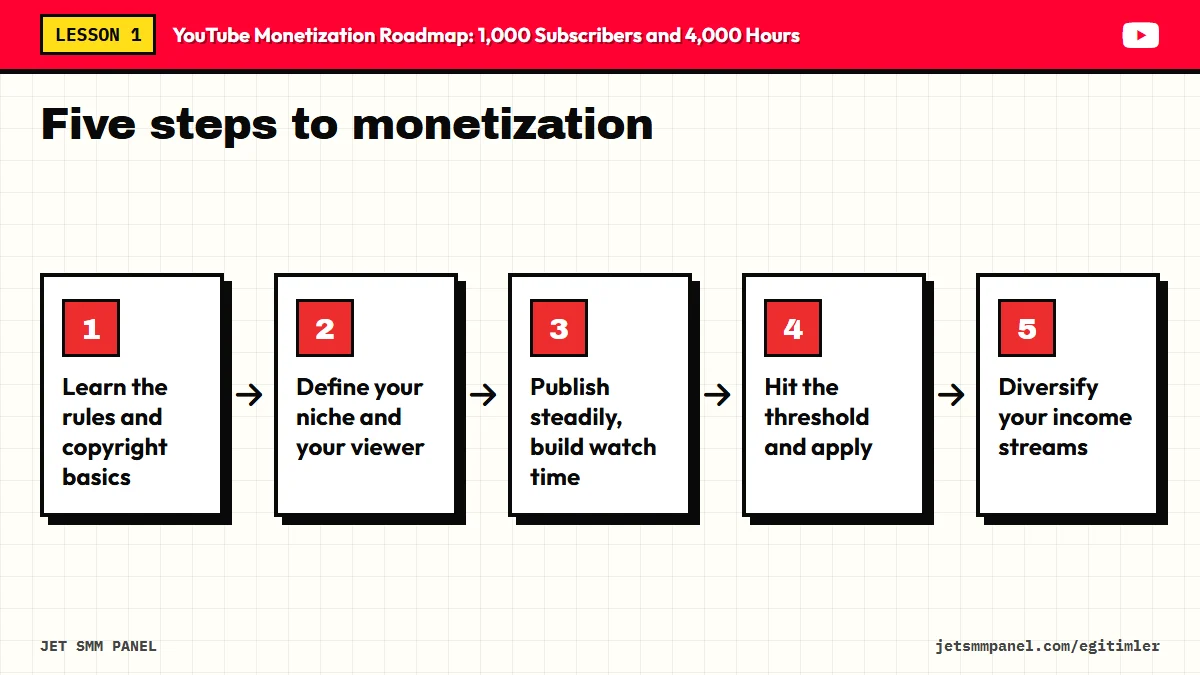
1,000 subscribers and 4,000 hours are a result. The real goal is to build a channel that a specific group of viewers wants to watch again and again. Here is the path we will follow throughout this course:
If the "Earn" section in YouTube Studio shows a "Get notified" option, turn it on. That way you will know the moment you meet the requirements and will not delay your application.
In the next lesson we move on to the foundation of this whole roadmap: how to position your channel and choose a niche that makes you worth watching. The right niche is the strongest lever for reaching every number on this page faster.
Open YouTube Studio and go to the "Earn" section. Note which tier and which path your channel is closest to: your current subscriber count, your watch hours over the last 12 months and your Shorts views over the last 90 days. Then go through every video on your channel; list any that use unlicensed music or footage owned by someone else, and set a date to fix or remove them.